
The quality you choose
Auto prioritizes the highest available resolution and displays the detected quality. You can also choose a specific resolution.

Save YouTube or Facebook videos to your PC. Choose the quality, customize the file name and get subtitles in your preferred language.
Download for 64-bit WindowsView screenshots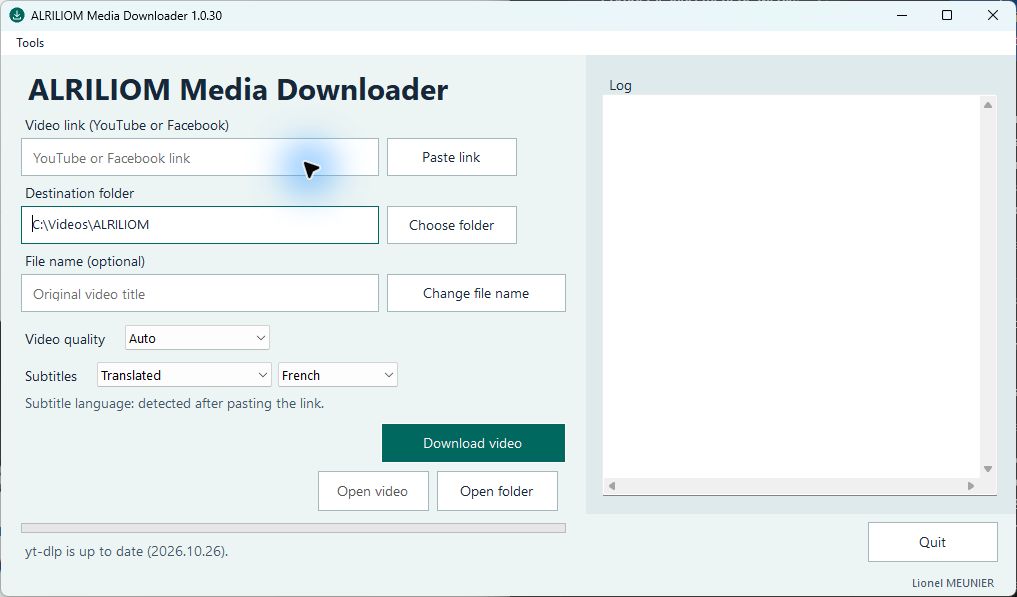
The application in English. Click the screenshot to enlarge it.
Auto prioritizes the highest available resolution and displays the detected quality. You can also choose a specific resolution.
No subtitles, original language, or translated into French or English: choose what you need from the available tracks.
Choose the destination folder and file name, then open the video from the app. Switch between French and English without restarting.
Two languages, the same familiar controls. Click a screenshot to view it at full size.
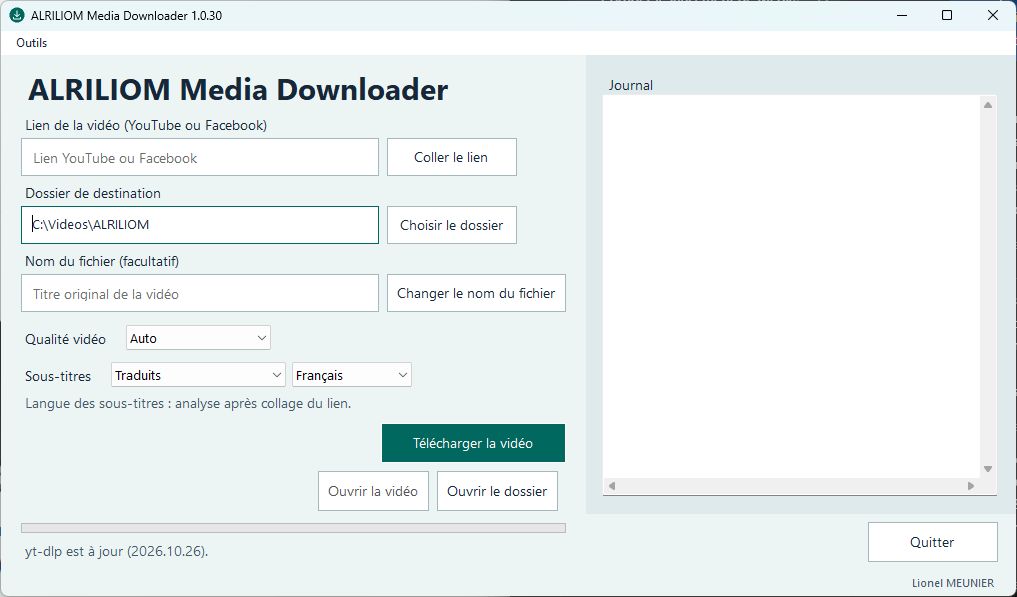
Ready to save your next video?Version 1.0.30 · Application and installer in French and English.
Download for 64-bit WindowsUse ALRILIOM Media Downloader only for downloads authorized by the platform and, where applicable, the rights holders. Video and subtitle availability depends on the source website.
Component notices and sources · Local translation and licenses · SHA-256 checksum
Lionel MEUNIER